






Live Girl Video Call With the Girl You Choose
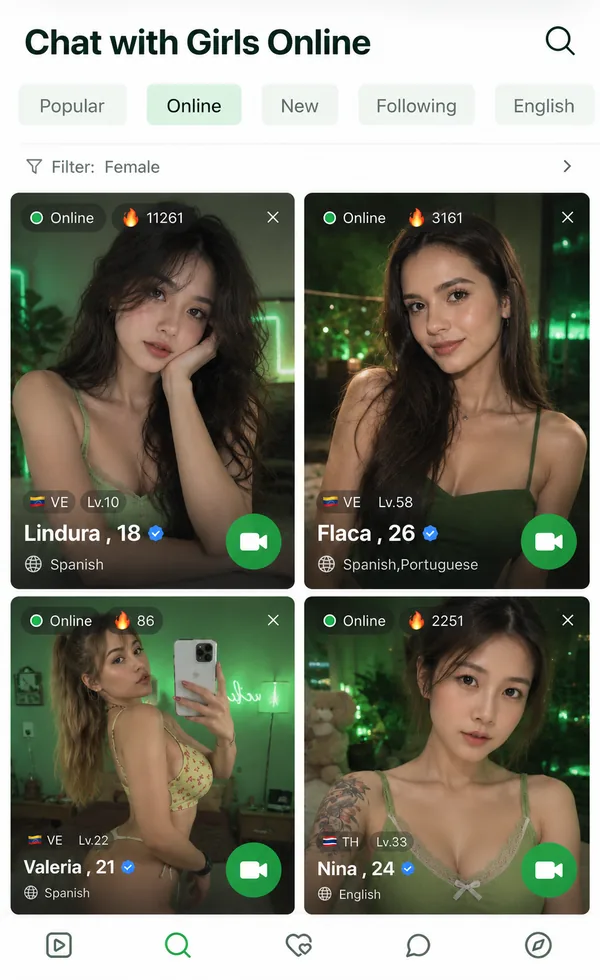
Open the list of girls who are on camera right now, pick the one you want to talk to and call her from her profile. You decide who answers.
See Who’s OnlineFree matches to start · nothing to install · 18+






From the list to a live call
- Open the online listEveryone on it has their camera on right now, with her country and the language she speaks next to her name.
- Tap the girl you wantHer profile opens with the call buttons on it. Nothing happens until you press one.
- Choose Video Chat or Audio ChatVideo if you want to see each other, audio if you want to hear her first.
- Wait for her to pick upIf she’s free, the call opens in the same tab and you’re talking.
If you can’t decide, here’s what to look for in her profile. If you’d rather not choose at all, let the random match pick for you.
How you can tell it’s a real call
The list shows who is on camera at that moment. Come back two hours later and it’s a different set of people.
It’s a real call to a real person, so sometimes she’s mid-conversation with someone else.
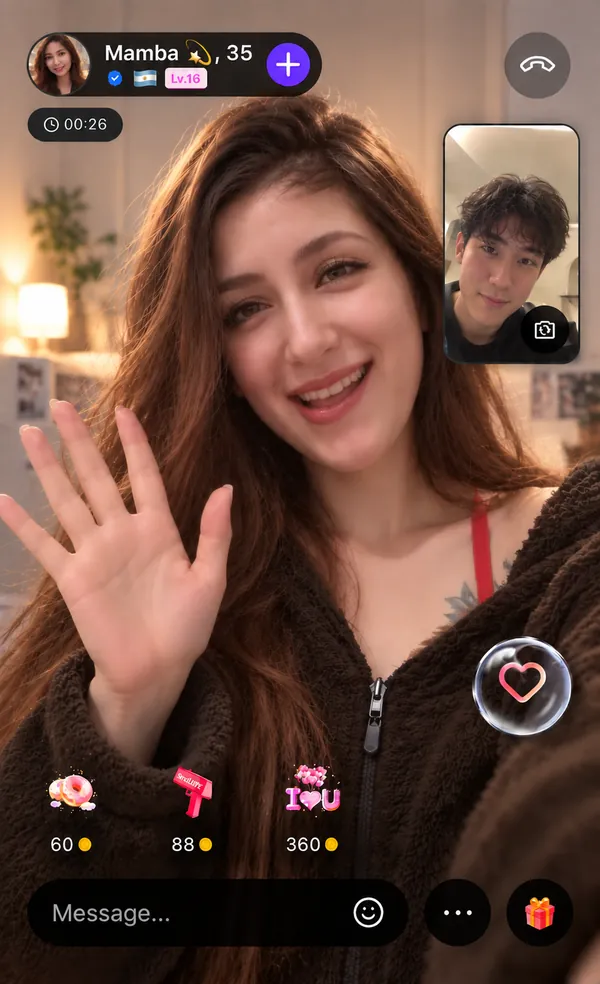
Ask her something and watch her answer. A recording can’t do that, and it’s the quickest way to know the call is live.
Calling the same girl again
The online list keeps moving, so a girl you liked tonight may not be on it tomorrow. If the call went well, sign in and follow her once it ends.
She then stays in your list, and when she’s back online you can ring her straight from there instead of hoping she turns up again.
When a call doesn’t go through
Real calls to real people don’t always connect on the first try. Four things account for most of it, and none of them take long to sort out.
- She’s already in a callPeople here take one call at a time, so a busy line means exactly that. Try someone else on the list and come back to her later.
- The video is stutteringA weak signal shows up as frozen frames first. Move closer to your router, or drop to a voice call and keep talking.
- She hung up earlyIt happens to everyone, usually for reasons that have nothing to do with you. Go back to the list and call someone else.
- You can’t see yourselfYour browser is still waiting on camera permission. Allow it in the address bar, or take the call with audio only.
What costs nothing
Looking through the list, opening profiles and following a girl you like are all free. New users also get free matches to start, which is an easy way to get a feel for calls here before you ring someone you picked.
Live girl video call questions
How do I start a live girl video call?
Open the list of girls who are online, tap the one you want and press Video Chat on her profile. If you’d rather not choose, tap start on the homepage and the matcher picks someone for you.
Do I need an app?
No. The call runs in your browser on a phone or a laptop, so there’s nothing to download.
Can I call without showing my face?
Yes. Start it as a voice call and keep your camera off, or turn it on later if you feel like it.
Is it moderated?
Yes, there are moderators on at every hour of the day, and the whole site is 18 and over. If a call goes somewhere you didn’t sign up for, hang up, then report or block her from her profile. Once she’s blocked, you won’t be matched again.
Can I video call a girl who doesn’t speak English?
You can. The call itself isn’t translated, but messages are: tap one she sends and you’ll see it in your language. A few typed lines go a long way when you’re both on camera.
She’s on camera. Ring her.
Pick her from the list and call. Nothing to install.
See Who’s Online